Top Blended Learning Software for Microschools Students 2026

Choosing the right educational tools for your microschool or homeschool can feel overwhelming. With so many platforms claiming to offer personalized learning, how do you know which one actually delivers?
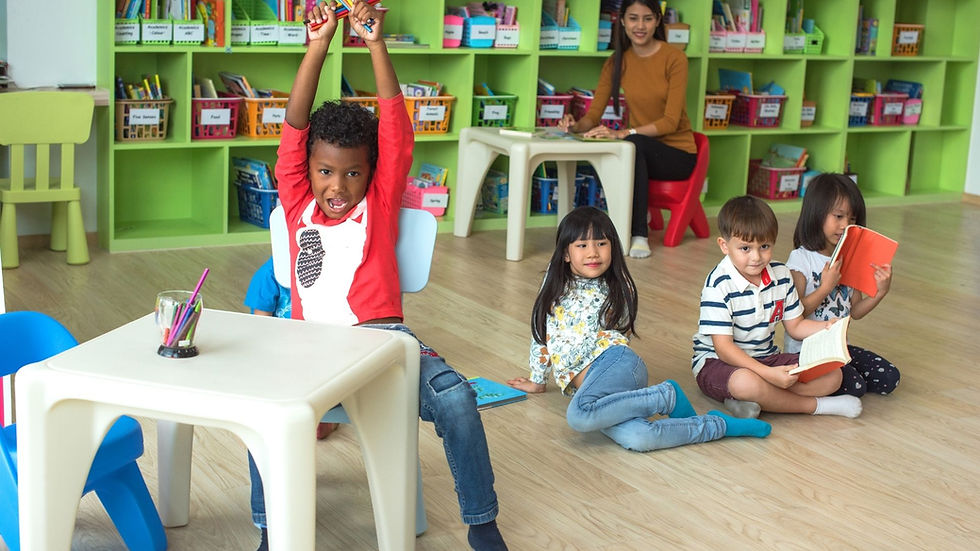
Microschools are growing fast across America. These small, flexible learning communities typically serve 5-15 students and focus on individualized attention. According to recent data from the Johns Hopkins Homeschool Research Lab, homeschooling and alternative education options grew by over 20% in some states during 2024-2025. Parents are actively seeking educational models that prioritize their child's unique needs over standardized approaches.
This article will help you understand what makes blended learning software effective for microschool students, explore the essential features you need, and discover how programs like The School House Anywhere support hands-on, non-screen learning for young learners. Whether you're a homeschool parent, running a microschool, or thinking about starting one, you'll find practical guidance here.
Key Insights
The best software supports personalized instruction, mixed-age groups, and relationship-based teaching, not large, standardized classrooms.
Technology works best when it supports organization and planning while keeping screen time minimal and learning experiential.
Rigid systems, heavy reliance on screens, and complex administration can undermine the flexibility and personalization that microschools value.
Clear progress documentation, printable materials, and family transparency matter more than complex data dashboards.
TSHA combines a hands-on curriculum, minimal screen use, simple progress tracking, and strong educator support into one cohesive system.
What Is Blended Learning for Microschools?
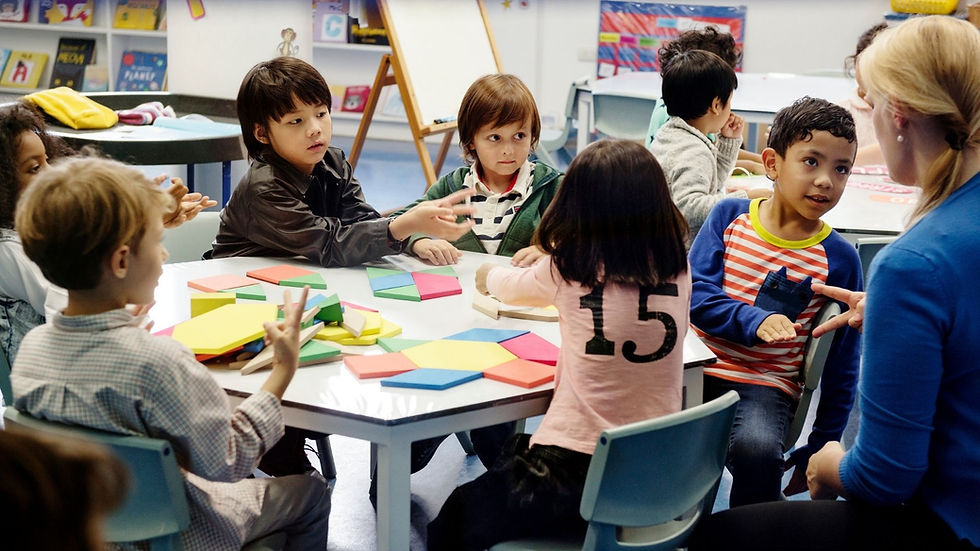
Blended learning combines different teaching methods to create a complete educational experience. For microschools, this means mixing hands-on activities, real-world projects, and carefully selected digital tools.
Here's what makes blended learning different in a microschool setting. Traditional schools often use technology as the primary teaching method, and students spend hours on computers working through lessons. Microschools flip this approach. They prioritize human connection, experiential learning, and physical activities, using technology only where it adds genuine value.
The best blended learning software for microschools students should support the educator, not replace them. It should track progress, organize curriculum, and provide resources, while children spend most of their time exploring, creating, building, and connecting with others.
Many microschool educators are moving away from screen-heavy approaches. A 2025 report from The 74 highlighted that parents increasingly choose microschools for their alternatives to traditional screen-based learning. Families want their children to develop social skills, creative thinking, and hands-on problem-solving abilities.
Why Traditional Learning Software Falls Short for Microschools

Most learning management systems were designed for large schools with hundreds of students. They focus on standardization, compliance tracking, and managing big groups. That's not what microschools need.
Here are the common problems with traditional educational software:
Too much screen time: Many platforms require children to sit at computers for hours to complete digital lessons. This contradicts everything we know about how young children learn best through movement, exploration, and real-world experiences.
Rigid curriculum structures: Standard platforms lock you into preset learning paths that don't account for individual student interests or developmental readiness.
Administrative burden: Complex systems designed for large schools create unnecessary work for small learning communities. You shouldn't need a dedicated IT person to manage your curriculum software.
One-size-fits-all approach: Generic platforms can't accommodate the personalized, relationship-based teaching that makes microschools effective.
The research backs this up. Studies on blended learning effectiveness show that student-centered models where technology serves the learning goals rather than driving them produce better outcomes than purely digital approaches.
Essential Features in Blended Learning Software for Microschools Students
When evaluating platforms for your microschool, focus on features that support your educational philosophy and practical needs.
Comprehensive curriculum organization: You need a system that organizes lessons, materials, and projects in one accessible place. Look for platforms that let you customize content, adapt to different learning styles, and adjust pacing for individual students.
Progress tracking tools: Simple, clear ways to document each child's growth matter more than complicated data dashboards. You want to show parents what their children are learning and celebrate progress without drowning in paperwork.
Printable and hands-on materials: The best systems provide physical materials, not just digital content. Children learn by doing, building models, conducting experiments, creating art, and engaging with tangible resources.
Community and support networks: Running a microschool can feel isolating. Platforms that include educator communities, live support, and collaborative resources help you feel connected and supported.
Flexible scheduling options: Your microschool day probably doesn't follow a traditional school schedule. You need software that works with your rhythm, whether that's project-based blocks, mixed-age learning time, or seasonal variations.
Minimal screen requirements: For programs serving younger students (Pre-K through 6th grade), less screen time is better. Choose platforms that support offline learning rather than replace it.
Explore our program today and discover how The School House Anywhere creates a complete learning ecosystem without overwhelming screen time.
Comparing Different Blended Learning Models

Not all blended learning looks the same. Understanding different models helps you choose the right approach for your microschool.
Technology-heavy models put digital learning at the center. Students work primarily on computers or tablets, with software delivering most instruction. Teachers monitor progress and intervene when needed. This works in some contexts but often doesn't align with microschool values around hands-on learning and reduced screen time.
Hybrid models split time between online and in-person instruction. Students might attend physical classes two or three days per week, then complete online work at home. This can work for older students but may not suit younger learners who need more structure and hands-on guidance.
Enriched virtual models flip the typical arrangement. Students work primarily online but come together regularly for labs, projects, or assessments. Again, this skews toward screen-heavy learning.
Project-based blended models use technology as a tool within larger hands-on projects. Students might research topics online, document work digitally, or access instructional videos, but most learning happens through physical activities, experiments, and creation. This approach aligns best with microschool philosophies and the needs of young learners.
For microschools serving elementary-age children, project-based models with minimal screen time typically produce the best outcomes. Children stay engaged, develop critical thinking skills, and build strong foundational knowledge through direct experience.
Practical Implementation Tips for Microschool Educators
Starting with blended learning software doesn't have to be complicated. Here's how to implement it effectively in your microschool.
Start with your values: Before choosing any platform, get clear on what matters most. If hands-on learning tops your list, select software that supports this rather than fighting against it. If community connection matters, prioritize platforms with strong educator networks.
Involve parents early: Parents chose your microschool for specific reasons. Talk with them about how you'll use technology, what screen time looks like, and how software supports (not replaces) real learning. Transparency builds trust.
Schedule intentionally: Decide when screens make sense in your day. Students check assignments in the morning, work on projects all day, and educators use software for planning in the evening. Protect substantial blocks of screen-free time.
Please keep it simple: Don't try to use every feature immediately. Start with basic curriculum organization and progress tracking. Add complexity only as needed. The best systems work intuitively without extensive training.
Create offline extensions: When using digital resources like instructional videos or online lessons, plan immediate offline activities. If children watch a video about ocean ecosystems, follow it with building a model, reading relevant books, or conducting water experiments.
Document real learning: Use the software's tracking features to capture the meaningful work children do offline. Take photos of projects, save work samples, and write brief observations. This documentation tells the story of learning far better than test scores.
Connect with other educators.: Join communities where microschool teachers share strategies, troubleshoot challenges, and encourage each other. Learning from others' experience accelerates your own success.
How The School House Anywhere Supports Microschool Education

Here’s a tighter, cleaner version with each point shortened and easy to scan:
The School House Anywhere (TSHA) offers a complete program for homeschoolers, microschools, and education entrepreneurs serving Pre-K to 6th grade.
TSHA uses the American Emergent Curriculum (AEC), a hands-on, secular approach focused on real-world learning rather than screens.
What makes TSHA work well for microschools:
Thematic curriculum: Six-week modules connect math, science, literacy, and social studies through shared themes.
Films + printables: Short educational films paired with hands-on, printable activities.
Simple progress tracking: Transparent Classroom makes it easy to document growth, skills, and portfolios.
Ongoing support: 24/7 help plus weekly virtual gatherings for educators.
Strong community: A network of parents and teachers sharing resources and support.
No AI for students: AI tools support adults only; student learning stays human-centered.
TSHA is designed exclusively for young learners (Pre-K–6) and supports diverse, U.S.-based families with an inclusive, secular model.
Conclusion
Choosing blended learning software for your microschool impacts students, families, and your long-term sustainability. The best platforms support teachers, not replace them, offering structure, valuable tools, and minimal screen time.
For elementary-age learners, hands-on, experiential learning should stay central. Technology should support organization, documentation, and limited content delivery, not act as the primary teacher.
The School House Anywhere (TSHA) reflects this balance through the American Emergent Curriculum for Pre-K–6. It emphasizes real-world learning, hands-on activities, and low screen use, supported by Transparent Classroom, printable resources, educational films, 24/7 support, and a strong educator community.
As you evaluate options, focus on what fits your values and daily needs. The right platform should simplify your work, strengthen learning, and be a natural extension of your microschool vision.
Start your journey with a flexible, hands-on curriculum with The School House Anywhere that puts real learning ahead of screen time.
Frequently Asked Questions
1. What makes blended learning software different for microschools compared to traditional schools?
Microschool software needs to support small, mixed-age groups with a flexible curriculum rather than large classes following standardized grade-level content. The best platforms for microschools prioritize hands-on learning support, simple progress documentation, and minimal screen time for young students. They also typically include stronger community features since microschool educators don't have built-in staff colleagues.
2. Can The School House Anywhere work for families who travel frequently?
Yes, TSHA's program works well for traveling families. The curriculum includes printable materials and educational films that you can access anywhere with an internet connection. Since the focus is on hands-on, experiential learning, children can explore concepts through activities and real-world experiences wherever they are.
3. How does TSHA support parents with no teaching experience?
TSHA provides comprehensive support specifically for parents new to teaching. The curriculum includes detailed guidance for each lesson, ready-to-use materials, and clear learning objectives. Plus, parents access 24/7 live support when they have questions, weekly virtual gatherings with other educators, and a community network where they can learn from experienced homeschoolers and microschool teachers.
4. Is a hands-on curriculum actually better than a screen-based curriculum for young learners?
Research strongly supports hands-on learning for elementary-age children. Young learners develop understanding through direct sensory experience, physical manipulation of materials, and real-world problem-solving. While some screen-based learning can supplement education, programs emphasizing experiential activities typically produce better outcomes in critical thinking, creativity, and foundational skill development.
5. What age groups does The School House Anywhere serve?
TSHA serves students in Pre-K through 6th grade. The American Emergent Curriculum is designed exclusively for these ages, ensuring content is developmentally appropriate for young learners. The program does not extend to middle school, high school, or older grade levels.

Comments