Free AI Lesson Plan Generator for Teachers

Are you finding lesson-planning one more thing added to a long list of to-dos, after teaching, managing compliance, talking to parents, and juggling family life? Across the U.S., many teachers work as much as 54 hours a week, yet less than half that time is spent actually teaching students.
If you're a homeschool parent, microschool founder, or educator looking to structure without sacrificing real, hands-on learning, that time strain adds up fast.
That’s why AI-powered lesson plan generators are becoming a quiet revolution in education. Designed to ease planning burden and preserve your time, they let you focus on what matters most: nurturing learning, not paperwork.
In this guide, you’ll discover what an AI lesson plan generator really can do, see how top tools stack up, and learn how to choose one that supports real learning while keeping the heart and humanity in education.
Key Takeaways
Purpose: An AI lesson plan generator helps educators plan faster, stay organized, and adapt lessons without replacing human-led teaching.
Rising Adoption: Teachers, homeschool parents, and microschool founders are using AI tools to reduce planning time and manage flexible learning environments.
Tool Differences Matter: Some platforms focus on standards and administration, while others support hands-on, real-world, and emergent learning.
Best Use Cases: AI lesson plan generators are especially helpful for homeschooling, microschools, and mixed-age or nontraditional learning settings.
Top 10 Platforms: This guide compares ten AI-supported planning tools- The School House Anywhere (TSHA), Planboard, Planbook, Google Classroom, Jotform, TeacherEase, Educa, Common Curriculum, iDoceo, and Core Learning Exchange.
What Is an AI Lesson Plan Generator?
An AI lesson plan generator is a tool that helps educators design lesson plans more efficiently.
It uses artificial intelligence to organize learning goals, suggest activities, and structure lessons based on age, subject, and instructional style.
Unlike traditional online lesson planners, AI-powered tools don’t just store plans. They help generate starting points, adapt lessons quickly, and reduce repetitive planning work.
For homeschool parents and microschool educators, this means less time staring at a blank page. You can outline a full week of learning, adjust for mixed ages, and refine lessons without starting over.
Importantly, not all AI lesson plan generators work the same way. Some are built for large, screen-based classrooms. Others are designed to support hands-on, real-world learning led by adults.
Choosing the right tool makes all the difference. That’s why it helps to compare today’s leading AI lesson plan generators side by side before deciding which approach fits your learning environment best.
Those differences become clearer when you look at how today’s most popular AI lesson plan generators approach planning, flexibility, and real classroom use.
Best AI Lesson Plan Generators in 2026
AI lesson planning tools don’t all serve the same kind of educator. Some are tuned for large, traditional classrooms, while others fit better with small, flexible learning environments like homeschools and microschools. Here is how ten widely used options compare in practice.
1. The School House Anywhere (TSHA)

The School House Anywhere (TSHA) is built first as an education program, not just a piece of software.
It is powered by the American Emergent Curriculum (AEC) for Pre-K to 6th grade, an interconnected, developmentally aligned curriculum that links literacy, math, science, civics, art, and social-emotional learning in real-world contexts.
TSHA uses AI to support the adults doing the teaching. Its AI-enabled services are designed to streamline lesson creation and daily teacher tasks, with TSHA materials stating that AI can reduce the educator’s task load by more than 50%.
This support sits on top of a secular, hands-on, real-world-focused curriculum. The goal is not to push students onto screens. Instead, AI helps parents and educators plan lessons, organize learning experiences, and adapt activities while children stay engaged in offline, emergent projects.
Key ways TSHA’s AI support can help educators:
Turning AEC themes and units into structured, teachable sequences.
Suggesting hands-on activities and cross-curricular connections rooted in real life.
Helping microschool founders and homeschool parents adapt plans to mixed ages and abilities.
Supporting documentation and communication without adding more platforms to manage.
For homeschool families, microschool founders, and freestyle learning centers, this combination is powerful.
There is a clear curriculum backbone, real-world-focused pedagogy, and AI that exists to make planning lighter, not learning more digitally.
2. Planboard

Planboard by Chalk is a cloud-based lesson planner used by many classroom teachers worldwide. It lets educators create, edit, and share digital lesson plans, organize timetables, and manage subjects and semesters in a single visual calendar.
Teachers can attach resources, photos, and files directly to lessons, align lessons to curriculum standards, and reuse plans in future terms, reducing repeated prep across school years.
Planboard is free for individual teachers and works especially well in single-grade, traditional classroom structures where pacing is relatively fixed. It offers strong digital organization, though educators working in emergent or mixed-age settings may still need to adapt or reframe plans to match more flexible models.
3. Planbook

Planbook is a long-standing online lesson planning platform used by over a million teachers. It enables teachers to build daily and weekly plans, attach materials, track standards, and print or share plans as needed.
Many educators use Planbook as their central planning hub, storing years of lessons and then copying and tweaking them each term, which is efficient for teachers who teach the same subjects or grade levels year after year.
The tool shines in structured environments where curriculum and schedules are stable. In more experimental or project-based settings, educators may still rely heavily on their own frameworks and use Planbook primarily as a planning container rather than a generator of new ideas.
4. Google Classroom (with AI Assistance)

Google Classroom is a blended learning platform that helps educators create, distribute, and grade assignments while streamlining communication and file sharing.
It integrates with Google’s productivity tools and enables teachers to post tasks, share materials, give feedback, and keep everything organized in one place.
Google has recently added more AI support for teachers. New AI-powered features in Google Workspace for Education can help educators brainstorm lesson ideas, generate practice problems, and draft communications.
These tools are most useful in schools where students already work online for much of the day; for educators prioritizing minimal screen time, Classroom’s strengths skew more administrative than pedagogical.
5. Jotform
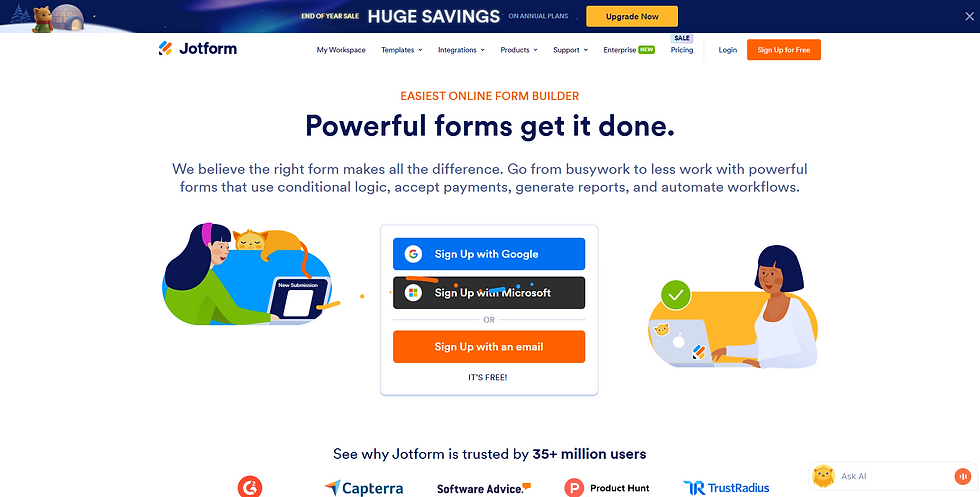
Jotform is not a traditional lesson planner but a flexible form and workflow tool used to support planning and classroom organization. Teachers can use Jotform’s lesson plan templates, planning boards, and yearly planning tables to structure and track their lessons digitally.
More recently, Jotform has introduced AI-based helpers, including a conversational lesson plan assistant designed to collect key details and streamline planning inputs.
For most educators, Jotform functions best as a companion tool that supports documentation, scheduling, and planning workflows rather than serving as a full curriculum or instructional design platform.
6. TeacherEase

TeacherEase is a platform focused on standards-based learning and curriculum mapping. It allows schools to store units, lessons, activities, and assessments in a shared database and align all content to learning targets and standards.
Teachers can search, reuse, and share instructional materials, helping organizations build a more consistent and reusable curriculum over time.
Reporting tools help track coverage of standards and monitor student performance across learning targets. TeacherEase is a strong fit for districts and schools shifting toward standards-based education.
It functions more as a curriculum and assessment backbone than a creativity-first lesson idea generator, which makes it less flexible for microschools or small independent programs.
7. Educa

Educa is a documentation and planning platform widely used in early childhood and care settings. It focuses on learning stories, observations, and family communication rather than static lesson plans.
Educators can capture learning as it happens, link observations to outcomes or frameworks, and share narratives with families securely.
Educa also supports planning cycles, helping educators connect observations with future learning experiences and group or individual inquiry.
It is particularly well-suited to early years programs where pedagogy is play-based and documentation-heavy. For older students or full K–6 programs, Educa often works best as a complementary tool rather than a full planning system.
8. Common Curriculum

Common Curriculum is an online lesson planner that helps teachers create, organize, and share lessons and units. Educators can plan at the daily or unit level, align objectives to standards, and print or share plans in multiple formats.
Features include templates, standards tracking, unit planning, and collaboration tools for co-planning or administrator feedback.
It provides strong digital structure and time-saving templates, but since it does not include a built-in curriculum or emergent learning framework, educators bring their own philosophy and content and use the platform primarily as a planner and organizer.
9. iDoceo

iDoceo is a teacher assistant app that combines a planner, gradebook, diary, and resource manager for Apple devices. Teachers can plan lessons, manage seating charts, attach files, audio, and video to plans, and track student performance within one environment. The app is available as a one-time purchase, which appeals to many individual educators.
While feature-rich and powerful, the wide range of tools means there can be a learning curve. For homeschools or microschools that prefer lightweight systems, it may feel more complex than necessary.
iDoceo is strongest for teachers who want robust, all-in-one classroom management on a personal device and are comfortable exploring many options.
10. Core Learning Exchange

Core Learning Exchange (Core-LX) is a digital platform focused on Career and Technical Education (CTE) and pathways to industry credentials. It provides access to a wide range of media-rich courses across middle school, high school, and beyond, including immersive and interactive experiences.
The platform supports mastery-based learning, tracking student progress through competencies, and allowing educators to adjust content to meet local needs.
Core-LX functions less as a traditional lesson plan generator and more as a content and pathway platform, making it strongest for programs focused on CTE and credential-based progression rather than early childhood or elementary microschools.
Read how these platforms can offer the most meaningful benefits.
Benefits of Using an AI Lesson Plan Generator
AI lesson plan generators are gaining traction because they solve real problems educators face every day. When used thoughtfully, they support planning without interfering with how learning actually happens.
Save Time on Planning Without Cutting Corners
Creating lesson plans from scratch is time-intensive, especially when lessons need frequent adjustments. An AI lesson plan generator reduces the groundwork by providing structured starting points that educators can refine rather than rebuild. This allows more time to be spent on teaching, reflection, and meaningful interactions with learners.
Support Flexible Learning Environments
Traditional lesson planners often assume fixed schedules and uniform pacing. AI-powered tools are better suited for flexible environments where lessons evolve based on student interests, group dynamics, or real-world opportunities. This flexibility is particularly valuable for homeschool families and microschools working across multiple ages or ability levels.
Enable Personalization at Scale
Personalized learning usually requires additional planning effort. AI lesson plan generators help bridge that gap by adapting lesson frameworks to different developmental levels and learning styles. Educators maintain control while gaining the ability to individualize instruction without multiplying their workload.
Reduce Cognitive Load for Educators
Planning, organizing, tracking progress, and managing logistics all compete for an educator’s attention. AI-supported planning tools help streamline these tasks, reducing mental fatigue and allowing educators to focus more fully on observing students and supporting their growth.
Maintain Educator Control and Teaching Integrity
When designed responsibly, AI lesson plan generators do not replace professional judgment. Instead, they act as an organizational and creative support system. Educators decide what to teach, how to teach it, and when to adapt, ensuring learning remains intentional, human-led, and values-driven.
The real difference between tools becomes clearer when you consider not just what they generate, but how well they align with the kind of learning environment you’re trying to create.
What to Look for in an AI Lesson Plan Generator

After understanding the benefits, the quality of an AI lesson plan generator comes down to how well it aligns with your educational priorities. Not every tool is designed with the same assumptions about teaching, learning, or classroom structure.
Alignment With Developmental Stages
An effective AI lesson plan generator should account for how children actually learn at different ages. Tools that treat early learners, elementary students, and older children the same often miss important developmental differences.
This matters most for homeschool and microschool settings, where plans must adapt to children rather than force children into fixed pacing.
Hands-On, Real-World Learning Support
Many AI tools prioritize digital worksheets, videos, or online tasks. Educators seeking experiential learning should look for generators that suggest projects, discussions, movement-based activities, and real-world applications. AI works best when it supports learning beyond the screen rather than keeping students tied to it.
Flexibility for Mixed Ages and Learning Styles
In small learning environments, a single lesson often serves multiple ages or skill levels. An AI lesson plan generator should make it easy to adjust complexity, pacing, and expectations without rewriting the entire plan. This flexibility allows educators to meet learners where they are while maintaining coherence across the group.
Educator Control and Transparency
AI should support decision-making, not obscure it. The best tools allow educators to review, edit, and fully understand what the AI generates. Clear structure and editable outputs help ensure lessons remain intentional and aligned with personal or program values.
Responsible Use of AI in Education
Privacy, data handling, and age-appropriate use matter. AI lesson plan generators should be designed for adults and not rely on students interacting with AI directly. This helps maintain healthy boundaries while keeping learning human-centered.
Choosing a tool becomes much easier when these factors are clear, especially when planning happens in nontraditional learning environments where flexibility and intention matter most.
How Microschools and Freestyle Learning Centers Use AI Lesson Plan Generators
Microschools and freestyle learning centers often operate with small teams and limited administrative support. Educators in these environments plan lessons, manage operations, and communicate with families at the same time.
AI lesson plan generators help reduce that load by streamlining the planning process. Instead of building lessons from scratch, educators can start with a flexible structure and adapt it to their learning philosophy.
In mixed-age settings, AI can assist in organizing learning themes that scale across different developmental levels. This makes it easier to maintain coherence while still honoring individual progress.
For founders, planning efficiency also supports sustainability. Clear lesson frameworks make it easier to onboard facilitators, maintain consistency, and document learning without turning education into a rigid system.
These practical uses highlight why choosing the right tool matters as much as deciding whether to use AI at all.
Final Thoughts: Choosing an AI Lesson Plan Generator That Supports Real Learning

An AI lesson plan generator is only as effective as the educational philosophy behind it. Tools built around rigid systems tend to reinforce rigid learning. Tools designed to support educators tend to do the opposite.
For homeschool families, microschool founders, and educators seeking balance, the goal is not automation for its own sake. The goal is thoughtful support that protects time, reduces overwhelm, and keeps learning grounded in real experiences.
When AI handles repetitive planning tasks, educators gain more space for observation, creativity, and connection. That shift often leads to better learning outcomes than efficiency alone.
This is where programs like The School House Anywhere (TSHA) stand apart. TSHA combines AI-supported planning with the American Emergent Curriculum (AEC), offering a developmentally aligned, hands-on learning framework for Pre-K through 6th grade. AI supports the adults behind the scenes, while children remain engaged in meaningful, screen-light learning.
For families and educators building flexible learning environments without sacrificing structure, TSHA offers a way to plan with confidence and teach with intention. Explore TSHA’s today and start your homeschooling journey. Register as Parent or Educator.
Frequently Asked Questions
1. What is an AI lesson plan generator used for?
An AI lesson plan generator helps educators create lesson outlines, organize learning goals, and adapt plans more efficiently. It supports planning, not teaching, and works best when guided by an educator’s judgment.
2. Are AI lesson plan generators appropriate for homeschoolers?
Yes. Many homeschool parents use AI lesson plan generators to save time and organize learning across multiple subjects or age groups. Tools designed for flexible learning environments tend to work best in homeschool settings.
3. Does using AI mean more screen time for students?
Not necessarily. Responsible AI tools operate behind the scenes for adults. Learning activities can remain hands-on, offline, and experience-based when AI is used only for planning.
4. Can AI lesson plans be customized?
Most AI-generated lesson plans are intended as starting points. Educators can and should edit, adapt, and personalize lessons based on their students’ needs and interests.
5. How is TSHA different from other AI lesson planning tools?
TSHA is a program, not just a tool. Its AI supports educators working within the American Emergent Curriculum, helping parents and microschool leaders plan hands-on, secular, real-world learning without turning education into a screen-based experience.


Comments