Top AI Graders for Teachers in 2026: Best Tools to Enhance Grading
- Dec 19, 2025
- 9 min read

AI grading tools are set to replace traditional grading methods, and many educators may not be prepared for the shift. As artificial intelligence makes its way into classrooms, AI grading tools are becoming an essential part of modern education. By 2026, over 60% of educators are expected to adopt AI for grading and assessments.
In fact, the global AI in education market was valued at approximately $7.05 billion in 2025 and is projected to grow further in 2026 as schools and educators embrace AI solutions for efficiency and personalized learning.
AI grading tools offer teachers the ability to grade more quickly, consistently, and accurately, all while saving valuable time. In this blog, we’ll explore the top AI grading tools of 2026 and how they are transforming the grading process for educators.
Key Takeaways
AI Grading Tools Boost Efficiency: Automating grading tasks saves time, allowing teachers to focus more on personalized teaching and student engagement.
AI Graders Ensure Consistency and Accuracy: These tools provide objective, consistent grading based on customizable rubrics, ensuring reliable feedback.
Real-Time Feedback Accelerates Learning: AI tools offer instant feedback, helping students understand mistakes and improve quickly.
Teachers Remain Essential: While AI handles grading, teachers continue to play a critical role in providing personalized support and guiding student development.
Why AI Grading Tools Matter in 2026
AI grading tools are becoming an essential part of modern education, helping teachers address challenges like time constraints and grading consistency. Here’s why AI graders matter:
Time-saving: Teachers often spend a significant amount of time grading assignments. AI tools automate this process, reducing the time spent on repetitive grading tasks and allowing educators to focus more on student engagement and personalized teaching.
Improved consistency: AI grading systems use predefined rubrics, ensuring that grading is consistent and objective. This eliminates human bias and errors, offering students reliable feedback every time.
Scalability: With larger class sizes and the rise of online education, AI grading tools make it easier to handle high volumes of assignments. Teachers can efficiently manage assessments without sacrificing the quality of their evaluations.
Faster feedback: AI-powered tools provide instant grading and feedback, allowing students to get immediate insights into their performance. This supports timely learning and helps students improve more quickly.
Enhanced accuracy: By relying on AI’s ability to analyze data, these tools offer greater accuracy in grading, reducing the likelihood of human mistakes and providing a more precise evaluation of student work.
AI grading tools are quickly becoming an indispensable resource in education, offering not just convenience but also improved outcomes for both educators and students.
As we explore why AI grading tools are becoming essential in 2026, it’s important to understand how these tools actually function to support educators and enhance the grading process.
Also Read: Free Learning Programs for Kids
How AI Grading Technology Works

AI grading technology leverages advanced artificial intelligence and machine learning to automate the grading process, making it faster and more consistent. Here’s how it works:
Natural Language Processing (NLP)
For written assignments like essays or open-ended questions, AI uses Natural Language Processing (NLP) to understand the content of the student’s response. NLP enables the system to assess grammar, structure, coherence, and relevance of the answer, mimicking how a human teacher would evaluate written work.
Rubric-based Grading
AI grading tools rely on predefined rubrics that specify how assignments should be graded. These rubrics outline specific criteria such as correct answers, language proficiency, and critical thinking. The AI then evaluates students’ work based on these criteria, ensuring consistent and objective grading every time.
Machine Learning Algorithms
Over time, machine learning algorithms help AI systems improve their accuracy by learning from past grading data. The more assignments the system grades, the more it learns to evaluate nuances in student responses, improving its ability to handle complex tasks like evaluating creativity or reasoning.
Real-time Feedback
AI grading tools provide immediate feedback on assignments. As soon as a student submits their work, the system can assess it and provide instant results, enabling students to understand their performance and make improvements right away.
Now that we’ve explored how AI grading works, let’s take a closer look at the key features to consider when selecting an AI grader for your classroom.
Key Features to Look for in an AI Grader
When selecting an AI grading tool, it’s important to understand the features that will enhance both your grading process and the overall learning experience. Here are some key features to look for:
Customizable Rubrics: The best AI graders allow you to create or adjust grading rubrics to match the specific needs of your assignments. Whether you’re grading essays, quizzes, or projects, customizable rubrics ensure that the tool aligns with your grading criteria and course objectives.
Multi-format Support: AI graders should be able to handle a variety of assignment types, including multiple-choice questions, essays, short answers, and coding assignments. This versatility makes the tool suitable for a wide range of subjects and teaching methods.
Instant Feedback: One of the most valuable features of AI graders is their ability to provide real-time feedback. This enables students to get immediate insights into their performance, allowing for faster improvements and fostering a more interactive learning environment.
Integration with Learning Management Systems (LMS): Seamless integration with popular LMS platforms like Google Classroom, Canvas, or Moodle ensures that grading and feedback are easily accessible to both teachers and students. It also allows for streamlined assignment submissions and grading workflows.
Plagiarism Detection: Advanced AI graders often include built-in plagiarism detection features that check students' submissions against online databases and sources, ensuring academic integrity and originality.
Data Analytics and Reporting: Many AI graders come with robust analytics tools that provide insights into student performance over time. These features help teachers identify trends, spot areas where students are struggling, and make data-driven decisions to improve the learning experience.
User-Friendly Interface: A simple and intuitive interface is essential. The tool should be easy to navigate, even for teachers who may not be tech-savvy, ensuring that grading remains efficient and hassle-free.
While AI grading tools are valuable for automating assessments and saving time, they don’t replace the need for hands-on, personalized learning.
For educators who want to focus on real-world, interactive learning experiences, TSHA’s American Emergent Curriculum (AEC) provides a comprehensive, non-screen learning approach. TSHA allows educators to create a flexible, engaging environment for students, empowering them to explore and learn without relying on excessive screen time.
Whether you’re teaching in a homeschool or micro-school setting, TSHA offers resources and guidance to make your teaching process more meaningful, with the added benefit of AI grading tools handling assessments when needed.
With the right criteria in hand, let's examine the top AI grading tools for 2026 and how they fulfill educators’ grading needs.
Top AI Grading Tools for Teachers in 2026
Choosing the right AI grading tool can save teachers hours of work each week and improve the quality of feedback students receive. In 2026, a range of tools combines automation, customizable grading logic, and support for multiple assignment types. Below, we cover the leading AI graders that educators are using or discussing most in the field today.
1. Gradescope (by Turnitin)
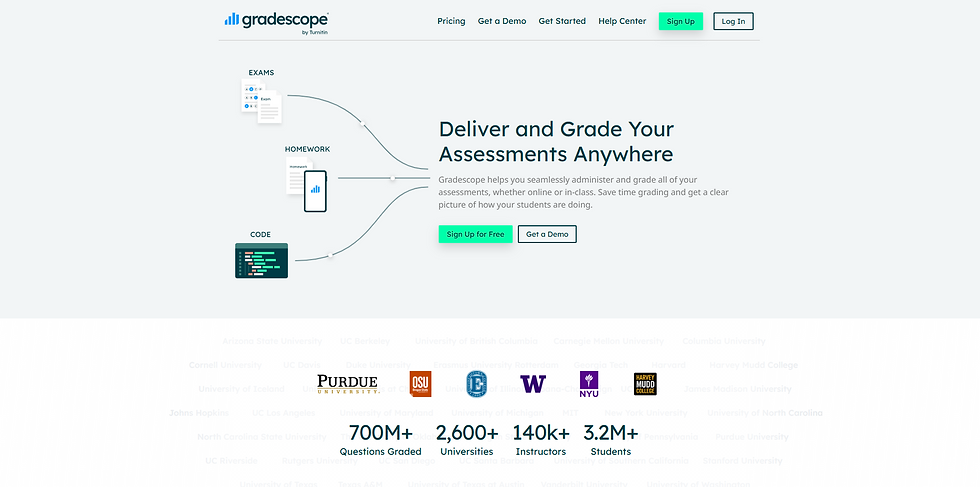
Gradescope is one of the most widely recognized AI grading platforms, trusted in K‑12 and higher‑ed settings for handling diverse assignment types from essays and short answers to code and bubble sheets. It supports both paper‑based and digital submissions and integrates with major LMS platforms.
Key Features:
Rubric‑based grading automation
AI‑powered clustering of similar answers so teachers grade once for many students
Supports handwritten and typed work
LMS integrations for seamless workflows, including Canvas, Moodle, and others
Best For: Teachers with large classes, mixed assignment formats, or those who want strong integration with school systems.
2. GPTZero AI Grader

Originally known for AI detection, GPTZero has expanded to include a dedicated AI grading tool. This grader is designed to automate evaluation while also incorporating checks for AI‑generated writing and plagiarism, a growing concern for educators.
Key Features:
Custom template and rubric options
Integrated plagiarism and AI‑writing detection
Works inside LMS platforms like Google Classroom, Canvas, and Blackboard
Detailed scoring with editable feedback
Best For: Teachers who want consistent grading with built‑in academic integrity tools.
3. CoGrader

CoGrader focuses on essay and written assignment grading using rubric‑based criteria aligned with educational standards like Common Core. It supports integration with online gradebooks and classroom tools.
Key Features:
Rubric grading tailored to standards
Integration with Google Classroom, Canvas, and Schoology
Consistent scoring across student submissions
Best For: English, humanities, and social studies teachers who rely heavily on written work.
4. Kangaroos AI

Kangaroos AI is an all‑purpose AI grader that supports multiple formats, including essays, rubrics, and bulk grading. It also offers multilingual support and flexibility for classroom use.
Key Features:
Bulk upload grading
Custom rubric creation
Feedback on written work
Multilingual assessment options
Best For: Classrooms with diverse student needs or for teachers who handle multiple subjects.
5. EduSage AI
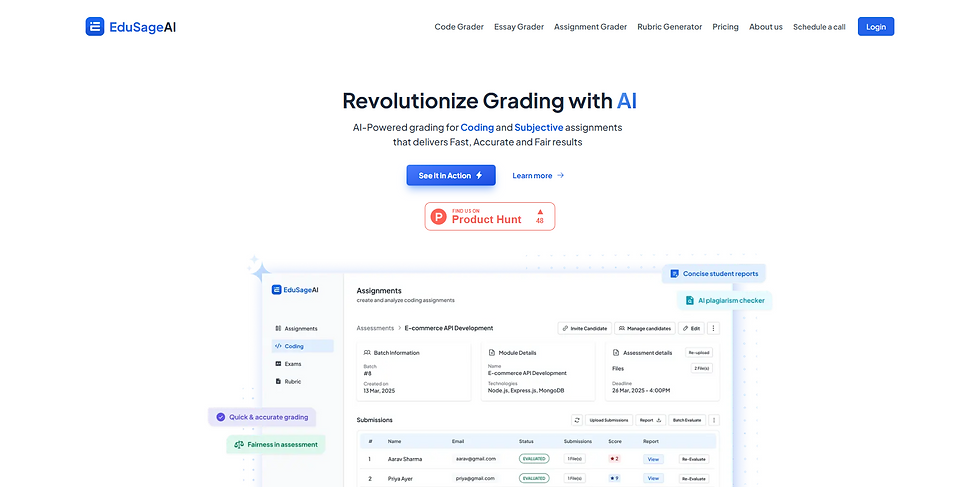
EduSage AI is designed to handle a broad range of assignments, from essays to more complex projects. It emphasizes actionable feedback and comprehensive evaluation tailored to different grade levels.
Key Features:
All‑in‑one grading across subjects
Deep, actionable insights on student work
Designed for educators rather than generic AI tools
Best For: Teachers who want a comprehensive tool that goes beyond basic scoring.
With so many AI grading tools available, it's essential to choose the one that best fits your classroom's unique needs. Here are the key factors to consider when selecting the right tool for your teaching style and student requirements.
How to Choose the Right AI Grader for Your Classroom
Selecting the right AI grader isn’t just about picking the most advanced tool. It’s about finding the one that fits your teaching style, classroom needs, and student expectations. Here are the key factors to consider:
1. Match the Tool to Your Grading Needs
First, think about the types of work you grade most often. Do you assign essays, short answers, multiple‑choice quizzes, or programming tasks? Some tools are better suited to essay evaluation, while others excel at objective scoring. Choose a grader that aligns with the formats you use regularly.
2. Evaluate Rubric Flexibility
A useful AI grader should let you customize rubrics rather than impose fixed scoring rules. This flexibility ensures that the tool reflects your expectations and instructional goals instead of forcing students into a rigid grading model.
3. Check for User‑Friendly Design
Even powerful tools are only effective if they’re easy to navigate. Prioritize graders that offer a clean interface, clear instructions, and straightforward workflows. Teachers with limited time or IT support will benefit most from tools that don’t require complex setup.
4. Consider LMS Compatibility
Integration with your existing learning management system (like Google Classroom, Canvas, or Moodle) can save time and reduce administrative steps. A grader that syncs with your LMS prevents unnecessary data transfers or manual entry.
5. Look for Reliable Feedback Features
Beyond scores, the best graders offer meaningful feedback that students can act on. Tools that provide comments, highlight strengths and weaknesses, or explain errors help students learn, not just get a grade.
Conclusion
AI grading tools are revolutionizing the way educators manage assessments, offering time-saving features like customizable rubrics, real-time feedback, and seamless LMS integration. These tools help teachers streamline grading, freeing up more time for personalized instruction and student engagement.
However, while AI graders are invaluable for efficiency, they cannot replace the value of hands-on, experiential learning. For educators focused on real-world, creative learning, TSHA’s American Emergent Curriculum (AEC) provides a perfect complement. Its flexible, non-screen curriculum empowers students to explore and create while offering teachers the resources and support they need.
By combining AI grading tools with a curriculum that prioritizes critical thinking and creativity, educators can provide a balanced, effective learning experience. As we move toward 2026 and beyond, the integration of AI efficiency with student-centered learning will redefine education for the better.
FAQs
1. How accurate are AI grading tools?
AI grading tools use advanced algorithms and rubrics to evaluate assignments. While they can be highly accurate for objective assessments like multiple-choice questions, their effectiveness for subjective tasks like essays depends on the quality of the AI system’s learning and customization.
2. Can AI grading tools replace teachers in grading?
AI grading tools are designed to assist teachers, not replace them. They help automate repetitive tasks, saving time, but teachers still play a critical role in providing personalized feedback, fostering student growth, and offering a human touch in assessments.
3. How do AI grading tools handle different types of assignments?
AI grading tools vary in their capabilities. Some specialize in multiple-choice and short-answer questions, while others can grade essays and creative projects. It's important to choose a tool that matches the types of assignments you frequently give your students.
4. Are AI grading tools secure and protect student privacy?
Most AI grading tools are designed with privacy in mind and comply with regulations such as FERPA (Family Educational Rights and Privacy Act). However, it's essential to verify that the tool you choose prioritizes data protection and aligns with your school or homeschool’s privacy policies.
5. Can AI grading tools work with homeschooling curriculums like TSHA’s?
Yes, AI grading tools can complement homeschooling curriculums like TSHA’s American Emergent Curriculum (AEC) by handling quizzes, short-answer questions, and other assessments. They allow parents and educators to focus more on fostering creativity and hands-on learning while automating the grading of more structured assignments.


Comments