7 Homeschool Learning Management Systems Worth Using in 2026

You searched "homeschool learning management system." Maybe a friend recommended one. Maybe you stumbled on a review comparing a dozen software options. Or maybe you are two months into homeschooling, drowning in sticky notes and half-finished spreadsheets, and wondering if there is a better way.
There is. But the answer is not always what the software companies want you to think.
This guide explains what a homeschool LMS actually is, what it does for parents and educators, which tools US families are using right now, and how to pick the right one for your situation. By the end, you will know exactly where to start.
Key Takeaways
A homeschool LMS manages planning, tracking, and compliance, not what your child learns.
Use an LMS only when complexity increases, such as multiple children, mixed resources, or strict state requirements.
Choose tools based on compliance needs, teaching style, and daily usability, not feature lists.
Platforms like Google Classroom, Panda, and Moodle suit different setups, from simple to fully custom systems.
All-in-one options like TSHA reduce workload by combining curriculum, planning, and tracking into a single system.
What Is a Homeschool Learning Management System?
A Learning Management System (LMS) is software built to organize, deliver, and track educational content. Think of it as the administrative backbone of your homeschool day. It does not replace your curriculum or teach your child. It brings order to the work you are already doing.
Originally developed for universities and corporate training programs, LMS platforms have been widely adopted by homeschool families who need a central hub for documentation, scheduling, and records.
Core Functions of a Homeschool LMS
Function | What It Does For You |
Lesson Planning | Organize subjects, schedule daily lessons, and set pacing across the school year. |
Progress Tracking | Log completed lessons and see where each child stands at any given time. |
Attendance Records | Document school days and instructional hours for state reporting. |
Portfolio Building | Store work samples, photos, observations, and projects in one organized place. |
Transcript Generation | Produce report cards and transcripts for compliance, transitions, or college applications. |
Assignment Management | Assign tasks, set due dates, and track completion across multiple students. |
LMS vs Curriculum: The Distinction That Matters
This is the most important thing to understand before you spend money on any tool.
A curriculum defines what your child learns. The content, the sequence, the activities.
An LMS organizes how you track and document that learning.
Many families buy an LMS expecting it to solve a curriculum problem. It will not. If you do not yet have a clear plan for what your child is learning, start there first.
Suggested Read: Guide to States Providing Financial Support for Homeschooling
Do You Actually Need a Homeschool LMS?

Not every family does. If you homeschool one child using a single all-in-one program that already tracks progress, adding a standalone LMS creates duplication, not simplicity. A paper planner or a well-organized binder may serve you just as well.
That said, an LMS becomes genuinely useful in several specific situations.
When an LMS Makes Sense
You have two or more children at different grade levels and need separate lesson plans and progress records for each.
You combine resources from multiple providers, and no single platform tracks them all.
You run or participate in a co-op or micro-school and need to manage students from multiple families.
Your state has documentation requirements such as attendance logs, portfolio reviews, or annual assessments. Pennsylvania, New York, and Florida are among the strictest.
You travel frequently and need cloud-based access to records from anywhere, which matters for military families and digital nomads.
When You Probably Do Not Need One
You use a single all-in-one curriculum that already includes built-in tracking and record-keeping.
You are homeschooling one child with a straightforward weekly routine and minimal state reporting requirements.
Your state has no formal documentation requirements, and a paper planner already covers your needs.
A good rule: if your current system is working, do not replace it with software just because the software exists.
7 Homeschool Learning Management Systems Used by US Families in 2026
The tools below are the ones American homeschooling families are actively using right now. They range from free general-purpose platforms to purpose-built homeschool systems with decades of community trust. Each one serves a different kind of family.
Read through all of them before committing. The right choice depends entirely on how you teach.
1. Google Classroom

Google Classroom is the most widely used free option for homeschoolers, particularly families involved in co-ops or teaching older children. It centralizes assignments, feedback, and communication, and integrates cleanly with Google Docs, Drive, Meet, and Forms.
The important caveat: Google Classroom gives you structure, but you build it all yourself. There are no pre-built lesson plans, no curriculum marketplace, and no homeschool-specific compliance features. For families already inside the Google ecosystem and comfortable building their own framework, it is a powerful zero-cost option.
Feature | Detail |
Cost | Free |
Best for | Co-ops, older learners, and families inside the Google ecosystem. |
Key features | Assignment management, feedback, Google Workspace integration, and parent email summaries. |
Limitation | No built-in lesson plans or compliance tools; requires full setup from scratch. |
State compliance | Weak for compliance purposes; no transcript or report card generation. |
2. Transparent Classroom
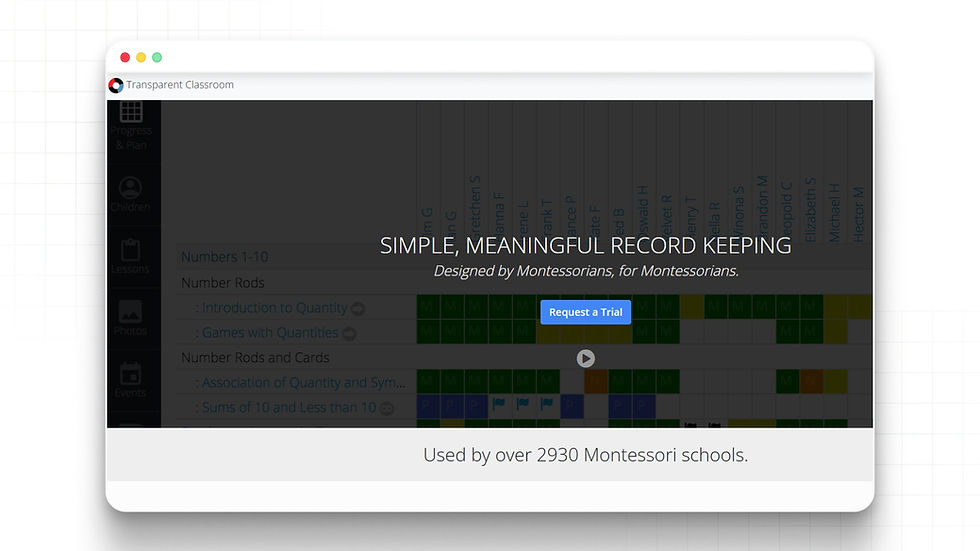
Transparent Classroom is built differently from every other tool on this list. Where most LMS platforms track grades and assignments, Transparent Classroom tracks observations, developmental milestones, and portfolio documentation.
It is rooted in Montessori and progressive education principles. Instead of a gradebook, it gives you observation logs, photo documentation, and skill checklists that reflect how hands-on and project-based learning actually happens. It is especially popular in micro-school and small-learning-community settings.
Feature | Detail |
Cost | Per-child per-month billing; you pay only for actively enrolled children each month (no charge during summer closures). Quote-based for schools. |
Best for | Progressive educators. |
Key features | Observation logging, photo portfolios, skill tracking, parent communication, progress sharing. |
Limitation | Not built for traditional grade-based tracking or assignment management. |
State compliance | Strong for portfolio-review states; weaker for states requiring grade-based transcripts. |
3. Homeschool Panda

Homeschool Panda is a community-oriented planner that combines lesson tracking with budget management. You can log curriculum costs, attach receipts, scan books into a reading log, and track attendance, all in one place.
Its free basic plan makes it accessible to families who want to test a digital system before committing to a subscription. It integrates with Google Classroom, which adds flexibility for tech-comfortable families.
Feature | Detail |
Cost | Free basic plan; premium from approximately $4.99/month. |
Best for | Budget-conscious families; families valuing community features compared. |
Key features | Lesson planning, attendance, portfolios, curriculum cost tracking, and Google Classroom integration. |
Limitation | Reporting and transcript tools are less sturdy compared to other platforms. |
State compliance | Adequate for most states; may fall short for high-compliance requirements. |
4. StrongMind

StrongMind is a curriculum-plus-LMS hybrid built for K-12 learners. Unlike the tools above, which are organizers where you bring your own curriculum, StrongMind delivers digital curriculum content alongside progress tracking, analytics, and a parent dashboard on one platform. It was formally listed as a US EdTech impact company in early 2026 and has been developing a dedicated homeschool platform since mid-2025.
Where it differs from TSHA: StrongMind is screen-based and digitally delivered. All instruction happens through the platform. This makes it unsuitable for families prioritizing hands-on, non-screen learning, but a reasonable option for families comfortable with a fully digital academic program.
Feature | Detail |
Cost | $30/month (publicly listed on their site); 30-day free trial. |
Best for | Families want curriculum and tracking in one digital platform. |
Key features | Digital curriculum K-12, adaptive pacing, parent dashboard, progress analytics, and lesson planning. |
Limitation | Fully screen-based; no hands-on or offline curriculum component. |
State compliance | Progress tracking and analytics are available; transcript tools are being developed. |
5. Moodle

Moodle is the world's most widely used open-source LMS. It is free to download and self-host, which means a tech-comfortable parent or micro-school operator can build a fully customized learning environment: upload lesson content, create quizzes, track completion, and manage multiple students at any grade level.
This is not a plug-and-play tool. Setting up Moodle requires hosting (typically $5 to $20/month on shared hosting), some technical comfort with web platforms, and time to configure courses. For non-technical families, it will be more work than it is worth.
Feature | Detail |
Cost | Free open-source download; hosting typically $5-$20/month. MoodleCloud managed plans from ~$200/year. |
Best for | Tech-comfortable families, and education entrepreneurs who want full customization. |
Key features | Full LMS: course creation, quizzes, gradebook, attendance, completion tracking, and plugins for almost any need. |
Limitation | Not plug-and-play. Requires technical setup and ongoing maintenance. No homeschool-specific features out of the box. |
State compliance | It can be configured for any compliance need, but you build the structure yourself. |
6. Schoology (Now a Part of PowerSchool)

Schoology is a K-12 learning platform used by tens of thousands of US schools and districts. It was built for institutional use, but homeschool co-ops, hybrid programs, and micro-school operators use it regularly when they need proper course-based delivery: structured modules, assignments, grading, discussion boards, and parent observer roles all in one place.
Kolbe Academy, one of the larger Catholic homeschool programs in the US, runs its entire online course catalog through Schoology. That gives you a concrete sense of what it looks like in a homeschool context. The platform handles gradebooks, auto-graded quizzes, and parent visibility into student progress across a full course offering.
Feature | Detail |
Cost | Institutional pricing only (quote-based through PowerSchool sales); no individual family plan |
Best for | Homeschool co-ops and hybrid programs with multiple instructors and students |
Key features | Full course modules, assignments, grading, discussion boards, parent and observer roles, SIS integrations, and AI tools via PowerBuddy |
Limitation | Not available to individual families as a standalone subscription; requires institutional setup |
State compliance | Strong: gradebook, transcript tools, and standards tracking designed for K-12 reporting |
7. Canvas (by Instructure)
Canvas is used by major US universities, school districts, and a growing number of homeschool programs and micro-school operators who want detailed control over how courses are built and delivered. Like Schoology, it was designed for institutions rather than individual families, but individual educators can get started with a free account.
The Canvas Free-for-Teacher option gives you core features: course creation, assignments, quizzes, and discussions at no cost, though storage is limited, and the advanced institutional tools are not included. For a micro-school operator building a structured program from scratch, the level of configurability here goes well beyond what purpose-built homeschool planners offer.
Feature | Details |
Cost | Free-for-Teacher account (limited); institutional plans are custom-priced, with reports suggesting $4-9 per student per year for smaller programs |
Best for | Operators and education entrepreneurs who want maximum control over course delivery |
Key features | Modules, rubrics, analytics, quizzes, discussion boards, mobile app, 900+ third-party integrations, AI assistant via Gemini LTI |
Limitation | Steep setup for non-technical users; no built-in homeschool compliance features; full institutional access requires a paid plan |
State compliance | Fully configurable, but you build the structure yourself; it's not ready out of the box for state-specific homeschool reporting. |
How to Choose the Right Homeschool LMS for Your Family?

The right homeschool LMS depends on your requirements, not feature lists. Use these four questions to quickly narrow down what will actually work for your family.
Question 1: What Does Your State Actually Require?
US homeschool laws vary significantly. Some states require nothing at all. Others require annual assessments, attendance logs, or portfolio reviews submitted to a local school official.
High-compliance states (NY, PA, FL, OH): Look for tools with strong transcripts and compliance documentation. Schoology, accessed through a co-op or program that uses it, handles this well. For states that accept portfolio reviews, Transparent Classroom is built exactly for that purpose.
Moderate-compliance states: Most tools on this list will meet your needs. Homeschool Panda is a straightforward starting point.
Low-compliance states (TX, AK, ID): A simple planner or a Google Classroom setup may be more than sufficient.
Always verify your state's specific requirements at your state's Department of Education website. Requirements change, and the tool you choose should match your current legal obligations.
Question 2: How Many Children Are You Managing?
The simplest case is a single child with a single curriculum. A shared planner, a binder, or even a well-structured notebook can handle it.
Two or more children at different grade levels is where digital tools start earning their cost. You need separate lesson plans, separate progress records, and an easy way to view everyone at once. Google Classroom handles this cleanly at no cost, and Transparent Classroom does the same for families, tracking observations rather than grades.
Question 3: Does Your Tracking Style Match Your Teaching Style?
This is where families most often pick the wrong tool.
If you run a structured course-based program with assignments and grades, Schoology or Canvas are built for exactly that and will handle gradebooks and transcripts without workarounds.
If your teaching is hands-on, project-based, or portfolio-focused, Transparent Classroom's observation-based documentation reflects how learning actually happens in your home.
If you want simplicity above everything, Homeschool Panda gives you the essentials without requiring you to learn a complex system.
Question 4: Will You Actually Use It Every Day?
An LMS that takes 20 minutes to update each day will be abandoned by month two. Before subscribing, do the free trial and simulate a realistic week. Update it every day for five days. If it feels like a burden by day three, it is the wrong tool.
The best LMS is the one you open and use without thinking.
However, most homeschool LMS tools assume you already have a curriculum. You bring the content, they organize the admin. That works well when you are combining resources from multiple places. But if you are teaching young children, Pre-K through 6th grade, and you want learning to be hands-on and screen-free, you are left stitching two separate systems together: one that delivers what to teach, and one that tracks whether you taught it.
The School House Anywhere (TSHA) takes a different approach entirely. And for families in that specific situation, it is worth understanding what that looks like in practice.
How TSH Anywhere Combines Curriculum and Progress Tracking in One Program?
The School House Anywhere (TSHA) is a homeschool and micro-school program built around the American Emergent Curriculum (AEC), a secular, hands-on, developmentally aligned learning framework for Pre-K through 6th grade. It is not a standalone LMS. What it does is give families who want structured, non-screen learning for young children both the curriculum and the documentation layer, already connected.
Think of it this way: a standalone LMS gives you a filing cabinet. TSHA gives you a filing cabinet that already knows what you are filing, because it also provides the lesson.
What the Management Layer Looks Like Inside TSHA
Transparent Classroom is TSHA's built-in portfolio and progress tool. Instead of grade-based spreadsheets, you document observations, milestones, and work samples as learning happens. TSHA members access it as part of the program, not as a separate subscription.
Packaged 6-Week AEC Sessions give you a clear, structured sequence for every subject. You always know what has been covered, what comes next, and how to document it without designing the system from scratch.
Custom AEC printable materials and worksheets keep the child's learning hands-on and screen-free. The administrative layer is digital. The learning itself stays physical.
LIVE Educator and Founder online gatherings give you direct access to curriculum guidance and community support from educators managing the same organization challenges.
Live office hours mean real answers when planning or documentation questions come up, rather than having to dig through a help forum.
TSHA member site and online community give you a broader network of parents and educators to draw on for practical day-to-day advice.
TSHA's AI tools are designed to help parents and educators with planning and management. AI is never used as a student-facing learning tool. Children's learning stays hands-on, physical, and screen-free by design.
Stop managing two systems. Start with one that includes both. TSHA provides Pre-K to 6th-grade homeschool families with a complete curriculum and built-in progress tracking through Transparent Classroom. Register as a homeschool parent at tshanywhere.org today. |
Final Thoughts
Choosing a homeschool learning management system comes down to one practical question: Does it reduce your workload, or quietly add to it?
If you are already confident in your curriculum and just need a place to organize, track, and report, a standalone tool can do the job well. But if you are still piecing together lessons, schedules, and documentation across multiple tools, that setup tends to break down over time.
TSHA is built for families who want fewer moving parts. The curriculum, planning structure, and progress tracking are already aligned, so you are not maintaining separate systems or duplicating effort every week. It is especially suited for Pre-K to 6th-grade families who want hands-on learning without turning the day into a screen-based routine.
The decision is not about features. It is about how you want your homeschool to run day-to-day. Explore TSHA and build a simpler homeschool today.
FAQs
1. What is the easiest homeschool LMS for non-tech parents?
The easiest LMS is one with minimal setup and daily input. Tools like Homeschool Panda or Google Classroom work well because they are easy to get started with and require little maintenance.
2. Can I switch homeschool LMS mid-year without losing progress?
Yes, but you will need to manually export or re-enter key records like attendance, grades, and portfolios. Switching is easier if your current system allows data downloads.
3. Are free homeschool LMS tools enough for long-term use?
Free tools can work long-term for simple setups. However, as complexity increases, many families upgrade to better reporting, compliance tracking, and multi-student management.
4. How much time does a homeschool LMS take to maintain daily?
Most LMS tools take 5 to 15 minutes per day if set up well. If it takes longer, the system is likely too complex or not aligned with your workflow.
5. Do homeschool LMS tools work for offline or hands-on learning?
Yes, but only as tracking systems. You still document activities manually through logs, photos, or notes since most LMS platforms do not deliver hands-on instruction.


Comments